How to Blend SEO and GEO for Maximum Visibility

The digital world for nonprofits used to be straightforward: get your website to the top of Google’s search results. This practice, known as Search Engine Optimization (SEO), was the undisputed king of digital visibility.

But the landscape has changed. With the rise of AI-powered tools like ChatGPT and Google’s AI Overviews, we’ve entered an era where getting a direct answer is often preferred over sifting through links. This new frontier is governed by Generative Engine Optimization (GEO).

For your organization to thrive, relying on one strategy is no longer enough. The future of digital discoverability for nonprofits lies in a blended approach. You need traditional SEO to appear in search results and GEO to become the source for AI-generated answers. This combined strategy ensures you can connect with supporters, donors, and volunteers, no matter how they seek information.

Why Both SEO and GEO Are Needed

Think of SEO and GEO as two essential tools for reaching different, yet overlapping, audiences. Each plays a distinct role in your digital marketing efforts, and understanding their functions is key to building a comprehensive strategy.

SEO: Winning the Traditional Search Game

SEO is your foundation. It’s the process of optimizing your website to rank high in traditional search engine results pages (SERPs)—the familiar list of blue links. When a potential donor searches for “best environmental nonprofits” or a volunteer looks up “local animal shelter opportunities,” strong SEO is what gets your website seen.

  • It captures active intent: SEO connects you with people who are actively searching for organizations, programs, or information related to your cause.
  • It builds long-term authority: A well-executed SEO strategy, which includes a technically sound website and quality backlinks, establishes your credibility with search engines over time.
  • It drives qualified traffic: People who find you through organic search are often highly motivated, leading to more meaningful engagement like donations or sign-ups.

Without SEO, your nonprofit is essentially invisible in the primary way people have learned to find information online for the past two decades.

GEO: Becoming the Authoritative Answer

While SEO gets you on the list, GEO makes you the answer. Generative Engine Optimization is the practice of structuring your content so that AI models choose it as the source for their direct responses. When a user asks an AI assistant, “How do community gardens help local neighborhoods?” GEO is what enables the AI to pull a concise, factual answer directly from your website.

  • It builds instant trust: Being cited as the source by an AI positions your organization as an authority.
  • It reaches a new kind of searcher: It connects you with users who prefer conversational queries and immediate, summarized information over browsing multiple sites.
  • It prepares you for the future: As AI becomes more integrated into search, GEO will become increasingly critical for visibility.

Neglecting GEO means you risk being overlooked by a growing audience that relies on AI for quick, reliable information.

How to Blend SEO and GEO for Maximum Impact

A successful strategy doesn’t treat SEO and GEO as separate endeavors. Instead, it integrates them into a single, cohesive content plan. Here’s how you can blend them effectively.

1. Start with Strong SEO Fundamentals

Your journey begins with solid SEO practices. You can’t optimize for AI if your website isn’t even visible to search engines.

  • Keyword Research: Identify the terms and phrases your target audience uses. This remains the starting point for all content.
  • On-Page Optimization: Create high-quality, in-depth content around your keywords. Ensure your website is mobile-friendly, loads quickly, and provides an excellent user experience. Maintaining your nonprofit’s website is a crucial part of this.
  • Authority Building: Earn backlinks from reputable sources to signal your trustworthiness to Google.

2. Layer in GEO-Friendly Practices

Once your SEO foundation is in place, you can layer GEO strategies on top of it. This involves formatting your content to be easily understood and processed by AI.

  • Create Clear Summaries: At the beginning of long articles or on key landing pages, include a concise summary that captures the main points. AI engines love scannable, to-the-point information.
  • Build Comprehensive FAQ Pages: Dedicate pages to answering the most common questions about your nonprofit. Use a clear question-and-answer format. This structure is perfect for AI to pull from.
  • Use Factual and Authoritative Language: State facts clearly and avoid jargon. For example, instead of saying your program is “very successful,” state that “our program helped 500 students improve their reading levels last year.”
  • Implement Structured Data: Use schema markup to give search engines explicit context about your content. The Nonprofit schema, for example, tells Google that you are a registered 501(c)(3), which can enhance your credibility.

A Practical Example: Blending in Action

Let’s see how this blended approach works with a common nonprofit topic with the below keyword as an example.

SEO Keyword: “Nonprofit website design tips”

You see, a traditional SEO approach would involve writing a comprehensive blog post titled “10 Best Practices for Nonprofit Website Design.” The article would be well-structured, cover the topic in-depth, and be optimized to rank for the target keyword. This is still essential but now it can be taken a step further with a layer of GEO applied, as outline below.

GEO Layer:

To make this content GEO-ready, you would add elements directly formatted for AI.

  • Add a Q&A Section: Include a section within the article titled “Frequently Asked Questions about Nonprofit Websites.”
    • Q: What makes a good nonprofit website?
      • A: A good nonprofit website features a clear mission statement, simple navigation, a prominent donation button, mobile-friendly design, and stories that show impact.
    • Q: How much should a nonprofit website cost?
      • A: The cost varies widely from a few thousand dollars for a template-based site to over $25,000 for a custom design. You can find more details in our guide on nonprofit website costs.
  • Include a Key Takeaways Box: At the top of the post, add a bulleted list summarizing the most critical tips. AI can easily parse this for a quick summary.

Now, your single piece of content serves two purposes. It’s positioned to rank in traditional search results and formatted to be the source for an AI-generated answer.

Tools That Help You Succeed

You don’t have to navigate this new landscape alone. Several tools can help you manage both your SEO and GEO efforts.

For SEO

  • Google Search Console: This free tool from Google is essential for monitoring your site’s performance in search, identifying technical issues, and understanding what queries drive traffic.
  • Semrush or Ahrefs: These are comprehensive paid platforms that help with keyword research, competitor analysis, backlink tracking, and site audits.

For GEO

  • AI Testing Tools (like ChatGPT or Google’s AI Overviews): The best way to test your GEO readiness is to ask these tools questions that your content should answer. See if they cite your website or use your information.
  • Schema Markup Validators: Tools like Google’s Rich Results Test can help you check if your structured data is implemented correctly, ensuring AI engines can understand the context of your page.

Embrace the Future of Discoverability

The way supporters find and connect with causes is evolving. By creating a strategy that embraces both SEO and GEO, your nonprofit can build a resilient digital presence that stands the test of time. You will not only attract visitors from traditional search but also establish your organization as a trusted voice in the age of AI.

Nonprofits that master this blended approach will gain a significant advantage that will ultimately attract more donors, recruit more volunteers, and most importantly, achieve greater visibility for their mission.

Not sure if you’re ready to tackle this blended approach alone? Contact Elevation today to see how our team of nonprofit marketing experts can help you with a combined SEO and GEO strategy.

How to Build a Chat Agent that Works for Your Nonprofit

Chat agents, powered by conversational AI, are now a staple across the web. For nonprofits, they offer an accessible way to connect with supporters, answer questions, and boost fundraising—no tech expertise required. While it may seem like a complex tool reserved for large corporations, building a chat agent is more accessible than ever.

Adopting a chat agent allows your nonprofit to provide instant, round-the-clock support, freeing up your team to focus on more strategic work. It’s not about replacing human connection but enhancing it by making your organization more responsive and accessible to everyone who wants to engage with your mission.

The Benefits of a Chat Agent for Your Nonprofit

Integrating a chat agent on your website can transform how you interact with your community. It acts as a digital front desk, ready to assist visitors at any time. This leads to several key benefits that directly support your organization’s goals.

24/7 Donor and Supporter Support

Your supporters are passionate, but they operate on their own schedules. A potential donor might visit your website late at night after seeing a social media post, or a prospective volunteer may have questions over the weekend. A chat agent provides immediate answers and guidance, ensuring you never miss an opportunity to engage someone who is ready to help. This constant availability can improve the donor experience and increase the likelihood of contributions.

Instant Answers to Volunteer FAQs

Onboarding new volunteers often involves answering the same questions repeatedly: “What are the time commitments?”, “What kind of training is required?”, or “How do I sign up?”. A chat agent can be programmed to handle these common queries instantly. This streamlines the recruitment process, reduces administrative burden on your staff, and provides potential volunteers with the information they need to get involved quickly.

Significant Accessibility Improvements

A chat agent can make your website more accessible to individuals with certain disabilities. For users who find navigating complex menus challenging, a conversational interface offers a simpler way to find information. They can type a question and get a direct answer or link, creating a more inclusive and user-friendly experience for every visitor to your site. This aligns with the core values of many nonprofits to serve all members of their community.

Steps to Build Your Chat Agent

Creating a chat agent for your nonprofit doesn’t require a team of developers. With modern tools, the process is straightforward. Here are the key steps to get started.

1. Define Its Purpose

Before you choose a tool, decide what you want your chat agent to accomplish. A clear purpose will guide its design and conversation flows. Common goals for nonprofits include:

  • Answering FAQs: Serving as a first point of contact for general questions about your mission, history, and programs.
  • Driving Donations: Guiding users to the donation page and answering questions about payment methods or impact.
  • Capturing Leads: Collecting email addresses for your newsletter or information from potential major donors.
  • Promoting Events: Providing details about upcoming fundraisers or volunteer events and linking to registration pages.
  • Guiding Volunteers: Walking prospective volunteers through the application process.

Start with one or two primary goals. You can always expand its capabilities later.

2. Choose the Right Tool

A variety of platforms are available to build and manage chat agents, many of which are user-friendly and affordable.

  • Plug-and-Play Solutions (Tidio, ManyChat): These tools are excellent for beginners. They offer visual builders, pre-made templates, and easy integration with platforms like WordPress. You can get a simple FAQ bot running in an afternoon.
  • CRM-Integrated Solutions (HubSpot, Zendesk): If you already use a Customer Relationship Management (CRM) system, it may have a built-in chat agent feature. The advantage here is that all conversations and leads are automatically saved to your contact records.
  • Custom AI and Advanced Platforms: For larger organizations with more complex needs, custom solutions using frameworks like Google’s Dialogflow can offer greater flexibility and more advanced natural language processing.

3. Train Your Chat Agent

Once you’ve chosen a tool, you need to “train” your agent by giving it the information it needs. This involves:

  • Building Conversation Flows: Map out the logical paths a conversation might take. For example, if a user asks about volunteering, the bot could ask for their location to suggest nearby opportunities.
  • Creating a Knowledge Base: Write clear, concise answers to the questions you want your bot to handle. Use the same content from your FAQ pages and program descriptions.
  • Defining Keywords: List keywords that should trigger specific responses. For instance, words like “donate,” “give,” and “contribution” should all lead the user to your donation flow.

Best Practices for a Successful Chat Agent

A poorly implemented chat agent can frustrate users. Follow these best practices to ensure your bot is a helpful and positive reflection of your organization.

Keep the Tone Warm and Human

Your chat agent is an extension of your brand. Program it to communicate with a tone that is warm, empathetic, and aligned with your nonprofit’s voice. Avoid overly robotic or technical language. Simple touches, like using the visitor’s name if it’s known, can make the interaction feel more personal.

Provide an Escalation Path to a Real Person

A chat agent won’t have all the answers. It’s crucial to provide a clear and easy way for users to connect with a human when their question is too complex or sensitive. This could be a “talk to a team member” button that transfers the chat to a live agent during business hours or provides contact information if it’s after hours. This ensures no one is left in a frustrating loop.

Regularly Update Its Knowledge

Your nonprofit is always evolving—new campaigns, updated program details, and different events. Regularly review your chat agent’s conversations to see what questions it couldn’t answer. Use these insights to update its knowledge base and improve its performance over time. Maintaining your chat agent is as important as your website maintenance.

Use Cases: Putting Your Chat Agent to Work

Here are a few practical scenarios of how a chat agent can support your nonprofit’s goals:

  • Driving Donations: A visitor is reading a blog post about your recent impact. A chat window pops up: “Hi there! Inspired by our work? You can support our mission with a gift of any size. Would you like me to guide you to our donation page?” This proactive engagement can significantly boost your online fundraising.
  • Guiding Event Sign-Ups: Your homepage promotes an upcoming charity gala. A user clicks on the chat icon and asks, “What’s the dress code for the gala?” The bot instantly replies with the dress code and follows up with, “Can I help you register or see the table options?”
  • Answering Grant Program Questions: If your organization provides grants, the chat agent can pre-screen applicants. It can ask qualifying questions about their eligibility and direct them to the correct application forms, saving your grant officers valuable time.

A Smart Investment in Your Mission

Building a chat agent is more than just adopting new technology—it’s an investment in supporter engagement and operational efficiency. By providing instant support and guidance, you create a more welcoming and responsive digital home for your community. This allows you to scale your impact, foster stronger relationships, and dedicate more resources to the work that truly matters.

Still think you need help building a chat agent? Reach out to the Elevation team to get help with making it a reality.

Faith in Digital: How Churches and Ministries Can Use the Google Ad Grant to Grow Their Communities

For many churches, community begins within the sanctuary walls—but there’s a vibrant community online, too. While personal connection remains vital, churches often miss out on digital tools that can help grow their congregation and amplify their message. One of the most significant of these is the Google Ad Grant.

Imagine having $10,000 every month in free advertising credit to reach people in your local area and beyond. That’s exactly what the Google Ad Grant offers eligible nonprofits, including churches and ministries. This powerful resource can help you connect with individuals seeking community, support, and spiritual guidance, allowing you to extend your welcome far beyond your front doors.

How the Google Ad Grant Works

The Google Ad Grant is a program that provides qualifying 501(c)(3) organizations with $10,000 per month in in-kind advertising spend to be used on Google Ads. This isn’t a one-time gift; it’s a recurring monthly grant that can total $120,000 a year in free advertising. For a church or ministry, this can be a transformational tool for outreach and growth.

To be eligible, your organization must be a registered charity in good standing. Once approved, you can create text-based search ads that appear on Google search results pages. When someone searches for terms related to your ministry—like “churches near me,” “local volunteer opportunities,” or “christian counseling services”—your ad can appear at the top of the page, inviting them to connect with your community. It’s a direct line to people actively seeking what your ministry offers.

Ways Churches Can Use the Ad Grant

With $10,000 a month in ad spend, the opportunities to connect and grow are nearly endless. The key is to think strategically about your ministry’s goals and how ads can help you achieve them. Here are a few powerful ways churches can use the Google Ad Grant.

Promote Weekly Services and Special Events

Are you hosting a special Christmas Eve service, an Easter celebration, or a community-wide summer picnic? The Ad Grant is perfect for promoting these events. You can create ads that target people in your geographic area searching for holiday services or family-friendly activities. By linking these ads to a landing page with all the event details, you can drive attendance and welcome new faces into your church.

Attract New Members to Your Community

Many people are searching for a sense of belonging and a church home. You can use the Ad Grant to reach them at their moment of need. Create ad campaigns targeting keywords like “find a church in [Your City],” “contemporary worship services,” or “bible study groups for young adults.” These ads can introduce your ministry to individuals and families who are new to the area or are looking to reconnect with their faith.

Recruit Volunteers for Outreach Programs

Every ministry relies on the dedication of its volunteers. Whether you need help for your local food pantry, support for a mission trip, or leaders for your youth group, the Ad Grant can help you find passionate individuals ready to serve. Ads targeting terms like “volunteer opportunities near me” or “how to help the homeless” can connect you with community members who share your desire to make a difference.

Drive Fundraising and Tithing Campaigns

The Ad Grant can be a powerful tool for stewardship. You can run campaigns to support specific fundraising initiatives, such as a building fund, a missions project, or a special offering for a community partner. Ads can also gently remind and educate people about the importance of tithing, linking to your secure online giving page. While the Ad Grant has specific rules, such as not being able to use remarketing, it is still an effective way to generate awareness for your fundraising goals, especially when combined with other strategies like Performance Max campaigns.

The interior of a historic church

Best Practices for Faith-Based Organizations

To make the most of the Google Ad Grant, it’s important to follow some key best practices tailored for ministries.

Use Faith-Aligned Keywords

Your keyword strategy is the foundation of your Ad Grant success. Think like someone searching for your church. Use a mix of general and specific terms.

  • General: “churches in [Your City],” “christian churches,” “non-denominational church”
  • Specific: “sermons on hope,” “youth group for teenagers,” “marriage counseling services”
  • Action-Oriented: “watch church online,” “local volunteer work,” “ways to give back”

Creating campaigns around these keyword themes will help you connect with a diverse audience at different stages of their spiritual journey.

Ensure Compliance with Ad Grant Rules

Google has specific policies to ensure the Ad Grant is used effectively. These include maintaining a 5% click-through rate, having clear conversion tracking set up, and not using single-word keywords (with some exceptions). It’s also critical that your website is secure (HTTPS) and provides a quality user experience. Familiarizing yourself with these rules is essential for keeping your account in good standing. Regular website maintenance and support is key to compliance.

Create Engaging and Welcoming Landing Pages

Your ad is only the first step. When a user clicks your ad, they must be taken to a high-quality, relevant page on your website. This is your digital welcome mat.

  • For event ads: Link directly to a page with event details, times, and a map.
  • For new member ads: Link to a page that shares your mission, values, and service times. A welcome video from the pastor can be very effective.
  • For volunteer ads: Link to a page that clearly outlines the opportunities and provides an easy sign-up form.

Your landing page should be warm, inviting, and make it simple for the visitor to take the next step.

Expand Your Reach Beyond the Physical Walls

Your ministry’s mission is to share hope, build community, and serve others. The Google Ad Grant is a modern-day tool to help you fulfill that timeless calling on a larger scale.

By embracing digital outreach, you can connect with people who are actively searching for what your church provides, growing your congregation and deepening your impact. It’s an opportunity to extend your welcome to the digital town square and invite more people to experience faith in action. If you’re unsure of how to jumpstart your Google Ad Grant strategy, reach out to the Elevation team to get expert advice on leveraging the grant to expand your organization’s reach.

Top Grant Tools & Websites Every Nonprofit in 2025 Should Use

Securing grant funding is a critical, yet often overwhelming, task for any nonprofit. The process of researching potential funders, identifying aligned opportunities, and managing application deadlines can consume countless hours. For many development teams, this manual effort pulls valuable time away from program delivery and strategic planning. Fortunately, a growing ecosystem of digital tools and platforms can streamline this entire process.

By leveraging the right grant-seeking resources, your nonprofit can move from tedious manual searches to a more efficient, strategic, and successful fundraising operation. These tools are designed to save you time, uncover hidden opportunities, and keep your application pipeline organized from start to finish.

Why Use Grant Tools?

In a world of limited resources, efficiency is everything. Grant tools are not just a convenience; they are a strategic advantage that allows your organization to do more with less. They transform the grant-seeking process from a reactive scramble into a proactive, well-managed system.

The primary benefit is time savings. Instead of spending days sifting through foundation websites and complex databases, these platforms provide curated, searchable listings tailored to your cause. You can filter opportunities by focus area, geographic location, grant size, and more, quickly zeroing in on the most promising prospects.

Another key advantage is access to curated, up-to-date information. Leading grant platforms invest heavily in researching and vetting funding opportunities, ensuring you receive timely and accurate details. This reduces the risk of pursuing grants with outdated guidelines or misaligned priorities.

Finally, many modern tools offer integrated application tracking. They allow you to manage deadlines, assign tasks to team members, and store all related documents in one place. This organizational hub prevents opportunities from slipping through the cracks and provides a clear overview of your entire grant pipeline.

Top Platforms for Grant Seekers

The market for grant tools is diverse, with options to fit every budget and need. Here are some of the most effective and widely used platforms that your nonprofit should consider in 2025.

GrantStation

GrantStation is widely regarded as one of the most accessible and affordable options, making it a favorite among small to mid-sized nonprofits. It provides a curated database of active grantmakers, including private foundations, corporate funders, and government sources. Its strength lies in its user-friendly interface and the high quality of its listings, which are vetted by a team of researchers. The platform also offers resources to help build your grant-seeking strategy.

Candid (formerly Foundation Directory Online)

Candid is the industry powerhouse, offering the largest and most comprehensive directory of nonprofit funding information. Its flagship product, the Foundation Directory Online (FDO), provides deep profiles on millions of grantmakers and grants. While it comes at a higher price point, its extensive data is invaluable for organizations looking to conduct in-depth research on funders’ past giving patterns, key decision-makers, and application processes.

Instrumentl

Instrumentl is an all-in-one platform that combines grant prospecting with robust tracking and management features. It uses smart matching to recommend relevant funding opportunities and automatically updates deadlines. Its key differentiator is the seamless integration of research and workflow. You can manage your entire grant lifecycle within the tool, from discovery to reporting, making it ideal for teams that want a single source of truth for all their grant activities.

fundsforNGOs

For nonprofits with an international focus or those seeking global funding opportunities, fundsforNGOs is an essential resource. It provides a curated list of grants, fellowships, and awards from sources around the world. The platform focuses on opportunities available to non-governmental organizations (NGOs) in developing countries but also lists many grants that U.S.-based nonprofits with international programs can pursue.

GrantWatch

GrantWatch offers a straightforward, easy-to-browse directory of available grants. Its simple filtering system allows users to quickly search by category and location without a steep learning curve. While it may not have the deep data of Candid or the integrated workflow of Instrumentl, it is an excellent, low-cost starting point for organizations that are new to grant seeking or need to find opportunities quickly.

Female digital marketing professional holding a laptop

Other Helpful Resources to Explore

Beyond dedicated platforms, several other sources can lead you to valuable funding opportunities.

  • State Nonprofit Associations: Your state’s nonprofit association is a hub for local resources. They often publish newsletters with regional grant announcements and host workshops on grant writing and funder relationships.
  • Community Foundations: These public charities are dedicated to improving life in a specific geographic area. They are one of the best sources of funding for locally focused nonprofits. Building a relationship with your local community foundation is a critical step in any development strategy.
  • The Google Ad Grant: While not a cash grant, the Google Ad Grant provides $10,000 per month in free advertising on Google Search. This “in-kind” grant is a powerful tool for recruiting volunteers, promoting fundraising campaigns, and attracting new supporters—all of which can indirectly lead to increased funding.

Grant Tool Success for Nonprofits in 2025

Simply subscribing to a platform isn’t enough. To maximize your return on investment, you need a strategic approach.

  • Set Up Alerts for New Opportunities: Nearly all grant platforms allow you to save your search criteria and receive email alerts when new, matching grants are posted. This automated feature ensures you are among the first to know about relevant opportunities.
  • Collaborate Across Teams: Use the tracking features within these tools to create a collaborative workflow. Assign tasks for proposal writing, budget creation, and report submission to different team members. This keeps everyone on the same page and ensures deadlines are met.
  • Don’t Just Apply—Build Relationships: Use the information in these databases to do more than just find applications. Research the foundation’s staff and board members. See what other organizations they have funded. Use this insight to build a genuine connection before you submit a proposal.

How Nonprofits in 2025 Can Win More Grants

Finding and applying for grants will always require dedicated effort, but it doesn’t have to be an inefficient and frustrating process. By leveraging the right digital tools, your nonprofit can save time, discover more aligned funders, and manage your pipeline with professional precision. Investing in one of these platforms is an investment in your organization’s financial health and its ability to deliver on its mission.

Still need helping implementing these tools for your nonprofit? Get in touch with the Elevation team to find out what marketing support and strategy you need to finish 2025 strong.

The Google Ad Grant offers nonprofits $10,000 per month in free advertising on Google. Traditionally, most nonprofits used the Ad Grant for search campaigns, but now there’s a more powerful, automated option: Performance Max. When you leverage Performance Max (PMax), you let AI manage and optimize your ad campaigns across all Google channels, expanding your reach and making every grant dollar go further.

Performance Max is a campaign type that brings together Search, Display, YouTube, Maps, and more into one managed campaign, guided by Google’s machine learning. This matters because it greatly simplifies account management, maximizes your exposure, and connects you with more people interested in your cause.

Why Performance Max Matters for Nonprofits

For busy nonprofit teams, running many different ad campaigns is tough. Performance Max helps by using AI to automate and optimize your campaigns, so you can focus on your mission. All you do is set your goals, upload your creative assets, and let Google’s AI handle the rest.

The real magic of Performance Max is how it distributes your ads:

  • YouTube: Show inspiring videos that bring your mission to life.
  • Search: Appear when people are searching for what you offer.
  • Display Network: Reach new audiences on websites and apps.
  • Gmail: Connect right inside inboxes.
  • Maps & Discover: Guide people to your events or facility and reach them in their content feeds.

This cross-channel setup helps find supporters wherever they spend time online—not just those searching for nonprofits like yours.

Are you new to ad grants, or want to see them in action? Our post on Google Ad Grant Success Stories for Nonprofits highlights how these tools can make a difference. And ongoing support for your nonprofit website is crucial—our Nonprofit Website Support guide shares helpful best practices.

Key Benefits of Using Performance Max

Why add Performance Max to your Ad Grant strategy? Here are some major advantages:

Smarter Targeting by Automation

AI-driven targeting means your ads reach people who are likelier to take action, whether that’s donating, signing up to volunteer, or attending an event. The system uses browsing habits and user data to make targeting more effective than manual methods.

Improved Conversion Tracking

Grantees have to use conversion tracking to keep their grant—and PMax makes this easy. Define your most important goals (like donations or sign-ups), and the AI will direct your ads toward people who are most likely to complete those actions.

Untapped Audiences

Some supporters won’t look for your organization by name. Performance Max helps you reach people who align with your mission, based on their behavior and interests—even if they aren’t searching for you specifically.

Best Practices for Ad Grant Users

Automation is powerful, but it’s not perfect. You still need to guide your campaigns to make the most of your grant.

Set Measurable Goals

Set up conversion tracking for meaningful actions:

  • Donations
  • Volunteer sign-ups
  • Event registrations
  • Email subscriptions

This helps Google’s AI focus your spending where you need it most.

Organize Your Assets Thoughtfully

Give PMax a range of quality assets:

  • Short, compelling headlines and descriptions
  • High-quality, story-driven images
  • At least one short YouTube-ready video
  • Your logo for branding

More assets give AI more options to match your ads to your audiences.

Stay Involved

Review performance regularly. Automation needs oversight; tweak your goals, pause underperforming assets, and be patient as the algorithm learns. And don’t set your budget too low—allow enough daily spend for the system to optimize.

Real-World Examples

How does Performance Max help in the real world? Here are a few scenarios:

1. Drive Event Attendance

An animal shelter uses PMax for their “Paws for a Cause” event, showing pet adoption ads on YouTube and to people searching nearby parks on Maps. They set the conversion goal as event registrations, and the campaign leverages fun animal images and real event footage.

2. Grow Volunteer Sign-Ups

A food bank wants more volunteers for the holidays. Their ads target different groups—students, retirees, and community members. Their conversion goal: completed volunteer applications.

3. Increase Online Donations

An international relief group uses PMax to quickly mobilize support during emergencies. Their campaign includes urgent messaging and field photos. The AI finds users previously interested in disaster relief and maximizes donation conversions on Display and YouTube.

Take the Next Step

Performance Max is a major leap for nonprofits using the Google Ad Grant. More automation, better targeting, and broader reach mean your message gets in front of the people who matter most. If you’re curious about how other nonprofits have succeeded, check out our post on Google Ad Grant success stories.

For years, search engine optimization (SEO) has been the key to digital visibility. Nonprofits have worked hard to rank on Google, knowing that a top spot could mean more donations, volunteers, and awareness.

But the way people find information is changing. The rise of artificial intelligence has introduced a new player to the field: Generative Engine Optimization, or GEO.

AI-powered tools like ChatGPT and Google’s AI Overviews now provide direct answers to user questions, bypassing traditional search results. This shift from searching to asking marks a new era in digital discovery. For nonprofits, understanding the difference between SEO and GEO—and how to use them together—is essential for staying visible and connecting with supporters in 2025.

Traditional SEO Basics: The Foundation of Discoverability

Before we dive into the new landscape, it’s important to remember why traditional SEO is still crucial. SEO is the practice of optimizing your website to rank higher in search engine results pages (SERPs). It’s built on a few core pillars:

  • Keywords: These are the terms people use when searching for information related to your cause, like “animal shelters near me” or “how to volunteer at a food bank.” A solid keyword strategy ensures your content aligns with what your audience is looking for.
  • On-Page Optimization: This involves optimizing individual web pages to rank higher. It includes using relevant keywords in your titles, headings, and body content, as well as ensuring your website loads quickly and is mobile-friendly. A well-designed nonprofit website is the bedrock of good on-page SEO.
  • Backlinks: When other reputable websites link to yours, it signals to search engines that your content is trustworthy and authoritative. Earning backlinks from partners, news outlets, or community organizations can significantly boost your rankings.

SEO is not going away. It remains the foundation for getting your organization listed in the blue links that users know and trust. It builds long-term digital authority and drives organic traffic from people actively seeking to engage with causes like yours.

What is Generative Engine Optimization (GEO)?

Generative Engine Optimization (GEO) is the process of optimizing your content to be found, understood, and used by AI-driven generative engines. Think of tools like ChatGPT, Perplexity, and the AI Overviews that now appear at the top of Google search results. Instead of just trying to rank your website, GEO focuses on making your content the source for the direct answers these AI models provide.

How does GEO differ from SEO?

  • Goal: SEO aims to rank a web page high in search results. GEO aims to make your information the basis for an AI-generated answer.
  • Format: SEO prioritizes long-form content, keyword density, and technical factors. GEO prioritizes clear, concise, factual, and easily digestible information, often in a question-and-answer format.
  • Signal: SEO relies on signals like backlinks and domain authority. GEO relies on signals like clarity, authoritativeness, and structured data that help an AI understand context.

Essentially, SEO gets you on the list while GEO makes you the answer.

Why GEO Matters for Nonprofits

As AI becomes more integrated into daily life, the way your stakeholders find information is evolving. Donors, volunteers, and grant-makers are increasingly turning to AI assistants for quick, comprehensive answers.

Imagine a potential donor asking an AI, “What are the most effective environmental charities working on ocean conservation?” Or a prospective volunteer asking, “Where can I volunteer with a youth mentorship program in my city?” If your nonprofit’s information is not optimized for these engines, you will be invisible in these critical moments of discovery.

By becoming “answer-ready,” your organization can position itself as a trusted authority. When an AI model cites your nonprofit or uses your data to formulate an answer, it builds instant credibility. This is an opportunity to stand out in a crowded digital space and connect with a new generation of supporters who value speed and accuracy. Nonprofits that embrace GEO can directly influence the information shaping their community’s decisions.

Strategies for Generative Engine Optimization

Optimizing for GEO doesn’t require abandoning your SEO efforts. Instead, it involves adding a new layer to your content strategy. Here are some actionable strategies to get started:

1. Write in a Question-and-Answer Format

Structure key information on your website as direct questions and answers. Create comprehensive FAQ pages that address common queries about your mission, impact, donation process, and volunteer opportunities. For example, instead of just a generic “About Us” page, include sections like:

  • Q: What is [Your Nonprofit’s Name]’s mission?
    • A: Our mission is to provide…
  • Q: How are donations used at [Your Nonprofit’s Name]?
    • A: 90% of every dollar donated goes directly to…

This format makes it easy for AI to pull your content and present it as an authoritative answer.

2. Provide Clear, Authoritative Answers

AI models prioritize content that is clear, factual, and concise. Avoid jargon and ambiguous language. When stating facts or data, be precise. For instance, instead of saying “we help a lot of people,” say “we provided meals to over 15,000 individuals last year.” Back up your claims with data, and ensure your content demonstrates expertise on your specific cause. This builds the trust that both users and AI models look for.

3. Use Structured Data and Context-Rich Content

Structured data (or schema markup) is code you add to your website to help search engines understand your content more effectively. For nonprofits, there are specific schemas you can use, such as “Nonprofit or VolunteerAction“. Using structured data provides context, telling AI engines exactly what your organization does, where it’s located, and what events it’s hosting. This technical step is critical for ensuring your information is interpreted correctly. Combining this with well-written content provides the rich context AI needs to feature you.

SEO + GEO = A Holistic Digital Strategy

The digital world is no longer just about search rankings—it’s about being the source of reliable answers. To ensure your nonprofit remains discoverable and influential, a blended approach is necessary.

Continue investing in the SEO fundamentals that build your website’s authority and attract organic traffic. At the same time, begin layering in GEO practices to prepare your content for the AI-driven future of search.

By preparing your strategy, whether that’s in-house or by working with a nonprofit marketing agency like Elevation, you set your nonprofit ahead of the curve. Organizations that make their content “answer-ready” will become the go-to sources for donors, volunteers, and partners using the next generation of search tools. This proactive approach will not only enhance your visibility but also solidify your position as a trusted leader in your field.

How SEO Enhances the Impact of Your Google Ad Grant

A Deep Dive Into Google Ad Grant SEO

Running Google Ads is a game-changer for nonprofits. But here’s the catch—your ads are only as effective as the landing pages they’re connected to. Nonprofits often overlook the key ingredient that ensures those landing pages succeed at converting visitors into supporters: search engine optimization (SEO).

Google Ads and SEO might appear to be separate strategies, but they are closely intertwined and arguably should be seen as a single strategy. By implementing an effective Google Ad Grant SEO to optimize your website and landing pages, you can enhance ad performance, elevate user experience, and drive more conversions.

What SEO Has to Do With Ads

SEO is typically associated with organic traffic—helping your website rank higher in unpaid search results. But its impact extends far beyond that. When combined with paid advertising, such as Google Ad Grants, it becomes a tool for amplifying the effectiveness of your campaigns.

How SEO and Ads Work Together

  1. User Relevance

Ads drive traffic to your website or landing page, but high-quality SEO ensures those pages are primed to deliver what users need. If a visitor doesn’t find relevant, engaging content upon clicking your ad, they’ll leave, increasing bounce rates and wasting your ad funds. SEO ensures your content is targeted and valuable.

  1. Ad Performance Metrics

Google evaluates the user experience (UX) of your landing pages when determining ad placements and costs. SEO helps improve UX through faster page speeds, mobile-friendly designs, and relevant content, making your ads more effective.

  1. Boosted ROI

SEO increases the likelihood of converting visitors who click on your ads—whether your goal is to collect donations, sign up volunteers, or raise awareness. Every element of a well-optimized page, from strategic keywords to clear CTAs, boosts your return on investment.

Landing Page Quality Score

Quality Score, a metric that ranges from 1 to 10, measures the relevance of your ads and landing pages. For Google Ad Grant users, a strong score is vital to maintain eligibility. Falling below compliance (like a 5% click-through rate) risks losing your grant. The good news? SEO can boost your score by improving relevance and user experience.

SEO Factors That Impact Quality Scores

  • Keyword Relevance

If your ad targets “volunteer opportunities in [city],” but your landing page doesn’t include this keyword prominently, Google may ding your Quality Score. Using SEO to create keyword-rich pages ensures relevancy across ads and landing pages.

  • Page Experience

A slow, clunky website or poorly structured landing page will lower your score, making your ads less competitive. Proper SEO boosts page performance by optimizing for speed, navigation, and usability.

  • Content Alignment

Delivering on the promise of your ad matters. If your ad promotes “tips for fundraising success,” but the landing page is generic or off-topic, users will leave. SEO ensures that landing page content aligns perfectly with ad copy.

Pro Tip:

Track Quality Scores for your campaigns and identify low-performing ads. Revisit the SEO of corresponding landing pages, focusing on keywords, UX, and content clarity to improve scores.

Page Speed & Mobile Optimization

Page speed and mobile optimization are cornerstones of modern-day SEO—and they directly impact your ad campaigns. Nonprofits that don’t invest in these areas risk alienating potential supporters and driving up ad costs.

Why Page Speed Matters

When a potential donor clicks on your ad, they expect your landing page to load quickly. If it takes more than a few seconds, they’re likely to abandon the effort entirely. This not only lowers the chances of a conversion but also negatively affects your Quality Score.

Mobile Optimization in Focus

With over half of web traffic now coming from mobile devices, mobile-friendly sites are crucial. Nonprofits that fail to optimize for small screens unintentionally exclude a significant portion of their audience.

SEO Best Practices for Speed & Mobile:

  • Use tools like Google PageSpeed Insights to test your site and implement recommendations.
  • Compress images and enable browser caching for faster load times.
  • Ensure your site uses responsive design to adapt seamlessly to various screen sizes.
  • Optimize font sizes, button placement, and navigation menus specifically for mobile users.

Relevant Content & Keywords

SEO thrives on relevance—it’s the backbone of both organic search rankings and ad performance. Integrating targeted, high-quality content with strategic keywords strengthens your landing pages and makes your ads more effective.

Keyword Strategy for Ads and SEO

The keywords you bid on in your Google Ads should appear naturally within your landing page content. This consistency signals to Google that your page is relevant to user searches, boosting Quality Scores and ad alignment.

Content That Converts

Your landing pages must quickly communicate value. A clear headline, engaging visuals, and straightforward copy that references ad keywords create a seamless experience for visitors.

Example:

If your nonprofit promotes “environmental education programs,” ensure your landing page includes:

  • A compelling header, e.g., “Empower the Next Generation with Environmental Education.”
  • Supporting content, such as details about your programs, testimonials, and easy donation options.
  • Strategic keywords placed naturally throughout the page.

Tracking & Structure

SEO isn’t just about attracting traffic—it plays a vital role in how effectively you can track and analyze campaign performance. A well-optimized site provides better data for understanding visitor behavior and refining your campaigns.

Tools and Tags

Implementing SEO best practices, like structuring your site for analytics tools, ensures you can track user interactions accurately. For example:

  • Google Analytics: Tracks user behavior, from page views to goal completions.
  • UTM Parameters: Lets you monitor which Google Ad Grant campaigns drive results.

Structured Content

SEO also involves structuring your pages with proper headings (H1, H2, H3) and metadata. This makes it easier for both users and analytics tools to understand your content.

Elevated Example: ABTA Case Study

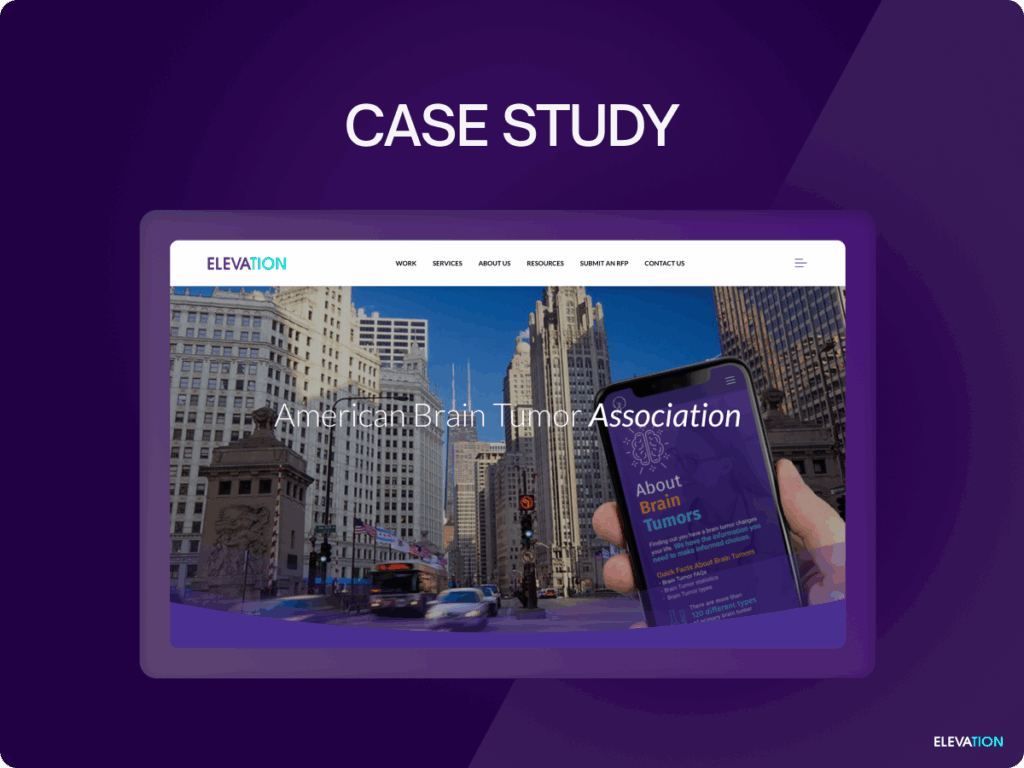
Screenshot of the ABTA case study page from the Elevation website

A real-world example of how SEO and Google Ad Grant strategies work together comes from the American Brain Tumor Association (ABTA). Partnering with Elevation, ABTA optimized their website, regained control of their Google Ad Grant, and reached the right audiences to drive meaningful engagement.

The Challenge

ABTA faced a deactivated Google Ad Grant account, limiting their ability to connect with their audience and promote key initiatives like their multi-city BT5K Run. They needed to restore their account, improve ad performance, and ensure their website was optimized to convert traffic into action.

The Solution

Elevation implemented a dual approach, combining SEO and Google Ad Grant management to maximize impact:

  • Grant Reactivation & Compliance: Restored ABTA’s Google Ad Grant account, ensuring full compliance and unlocking its potential.
  • Paid Search & SEO Synergy: Used paid search marketing to make up for lost time while optimizing the website for organic search visibility.
  • Event Promotion: Created targeted display ads to boost awareness and registration for ABTA’s BT5K Run, one of their largest annual events.
  • Traffic & Conversion Optimization: Enhanced landing pages with engaging content, clear calls to action, and improved user experience to increase conversions.

The Result

The combined efforts of SEO and Google Ad Grant management delivered impressive results:

  • Increased Ad Performance: Click-through rates rose by 45%, reflecting higher-quality traffic.
  • Boosted Event Engagement: Display ads drove significant awareness and registrations for the BT5K Run.
  • Overall Growth: Web traffic and conversions saw a measurable increase, helping ABTA better fulfill their mission.

For a deeper look at their results, explore the full ABTA case study here.

Demystifying Google Ad Grant SEO

If you’re already running Google Ad Grant campaigns, start auditing your landing pages through an SEO lens. The results could be transformative—bringing your nonprofit closer to achieving its digital goals.

For tailored, expert assistance in aligning SEO with your Google Ads strategy, schedule a consultation with Elevation to amplify your impact today.

Frustrated woman holding her hand to her forehand

Common Maintenance Pitfalls to Avoid for Nonprofit Websites

Maintaining a website might seem straightforward at first glance, especially when things appear to run smoothly on the surface. However, even the most well-intentioned teams can make critical mistakes that jeopardize functionality, security, and user experience.

These missteps can hinder your organization’s ability to connect with donors, engage volunteers, and achieve your mission. The good news? Most website maintenance mistakes are easily avoidable with a bit of preparation and the right processes—like the top five we’ll cover in this guide.

1. Skipping Backups

Why It’s a Problem

Imagine waking up to find your entire website gone—whether due to a cyberattack, server crash, or accidental mishap. Without a recent backup of your website, there’s no way to retrieve the lost data. All your effort creating blog content, refining donation pages, and organizing event registrations could disappear in an instant.

Backups serve as a vital safety net, ensuring that you can quickly restore your site even in the face of the worst-case scenarios. Yet, many nonprofits either forget this crucial step or assume their hosting provider takes care of everything by default.

The Consequences

  • Permanent Data Loss: Years of impact stories, donor acknowledgment lists, and other irreplaceable data can vanish.
  • Prolonged Downtime: Without a backup, rebuilding your site from scratch takes time—and during that downtime, you lose engagement and credibility.
  • Costly Recovery Efforts: Professional data recovery services, while an option, come with a steep price tag.

What You Can Do

Schedule automatic backups through your website’s content management system (CMS) or hosting provider. Most platforms, like WordPress, offer easy-to-use plugins for regular backups. Ensure backups are stored in multiple locations, including the cloud and external drives, for added security.

2. Ignoring Updates

Why It’s a Problem

Keeping your website software, plugins, and themes updated might seem like a minor housekeeping task, but skipping updates leaves your site vulnerable to crashes, bugs, and security breaches. Outdated software is one of the most common entry points for hackers targeting nonprofit websites, especially because these types of sites often handle sensitive donor data.

The Consequences

  • Security Vulnerabilities: Hackers exploit known weaknesses in outdated software, putting your site at risk of malware or phishing attacks.
  • Compatibility Issues: Skipping updates can cause conflicts between plugins, themes, and the CMS, resulting in frustrating bugs or broken functionality.
  • Reduced Performance: Older software may not be optimized for speed, potentially slowing down your site and hurting user experience.

What You Can Do

Set up reminders or hire a professional to check for updates at least once a month. Always test updates in a staging environment before applying them to your live site to avoid accidental disruptions.

3. Forgetting to Test Forms

Why It’s a Problem

Forms are the backbone of nonprofit websites, collecting donations, enabling volunteer sign-ups, and registering event attendees. When these forms don’t work as designed, users can’t take the actions you’re encouraging—and you may not even realize it until it’s too late.

A broken donation form could mean lost funding, and an unresponsive contact form could cost you valuable leads. Worse yet, unresolved form issues can frustrate users and make them question your organization’s professionalism.

The Consequences

  • Lost Donations and Engagement: A single broken form could result in hundreds—or even thousands—of dollars in lost support.
  • Reduced Trust: Potential supporters may hesitate to trust an organization when even basic interactions feel unreliable.

What You Can Do

Regularly test all forms on your website, especially those for donations and sign-ups. Submit test entries to ensure forms:

  • Accept data correctly.
  • Forward submissions to the proper email address or database.
  • Load confirmation pages or send automated responses.

4. Not Monitoring Downtime

Why It’s a Problem

Your website may not be accessible at all times, even if you’re unaware of it. Server crashes, performance bottlenecks, or hosting provider outages can leave visitors staring at an “error” message instead of interacting with your content.

Occasional downtime is inevitable, but if it happens frequently or goes unnoticed for too long, it damages your nonprofit’s credibility and frustrates users. Worse, downtime leads to missed opportunities, such as donors unable to complete their transactions or volunteers failing to register for events.

The Consequences

  • Loss of Credibility: A website that’s often inaccessible can make your organization seem unreliable.
  • Lower Ranking on Search Engines: Frequent downtime impacts your SEO, pushing you further down search results.
  • Missed Opportunities: Key interactions with donors, volunteers, or partners may be lost due to outages.

What You Can Do

Use tools like UptimeRobot or Pingdom to monitor your website’s availability. These services will notify you immediately if your site goes offline, letting you address issues quickly.

5. Treating It as a One-Time Task

Why It’s a Problem

Website maintenance isn’t something nonprofits can tackle once and forget. A site requires ongoing attention to remain functional, secure, and aligned with your goals. Treating maintenance as a one-time effort often leads to complications later, including outdated content, emerging vulnerabilities, and declining user engagement.

The Consequences

  • Decreased User Experience: Without regular refreshes, your site grows stale and fails to meet shifting expectations.
  • Missed Updates or Security Patches: Lack of ongoing maintenance leaves your site vulnerable to attacks.
  • Loss of Donor and Volunteer Interest: Users may stop visiting an outdated or poorly functioning website.

What You Can Do

Establish a routine schedule for maintenance tasks, such as backups, updates, performance refreshes, and accessibility checks. Assign these responsibilities to team members or a professional support partner to ensure consistency over time.

How to Avoid These Mistakes

Addressing website maintenance doesn’t have to be complicated. By putting systems in place, even small nonprofit teams can stay ahead of these common pitfalls. Here’s how to make it work:

Simple Processes

  • Create a Checklist: Document essential maintenance tasks, such as monthly updates and quarterly audits, to stay on track.
  • Automate Where Possible: Leverage technology to handle backups, updates, and performance monitoring on autopilot.

Partner with Reliable Support

If capacity is limited, consider outsourcing to professionals specializing in nonprofit website maintenance. They’ll provide both the expertise and dedicated time to keep your site running smoothly, allowing your team to focus on your mission.

Young woman holding a laptop and giving a thumbs up gesture

Lessons Learned

Website maintenance is a critical operational priority for nonprofits, yet it’s often overlooked until something goes wrong. By proactively addressing these five common mistakes—skipping backups, ignoring updates, forgetting to test forms, not monitoring downtime, and viewing maintenance as a one-time task—you can safeguard your website’s effectiveness and build trust with your audience.

The fixes are straightforward with the right processes and partnerships in place. Not sure where to start? Partner with trusted nonprofit marketing providers like Elevation for expert guidance in maintaining a website that reflects your organization’s professionalism and impact.

Choosing the Best Website Support Strategy

Deciding how to maintain your nonprofit’s website is no small task. For many organizations, the choice boils down to two options—should you manage website support in-house or partner with a professional service? Each approach comes with its own set of benefits and challenges, and finding the right path depends on your team’s skills, resources, and goals.

If you’re feeling uncertain, don’t worry. This guide will help you weigh the pros and cons of in-house and professional website support. Plus, we’ll explore a “hybrid” option for nonprofits looking for balance. By the end of this article, you’ll have greater clarity on which choice suits your organization’s unique needs.

The Pros of Managing Website Support In-House

For nonprofits with tight budgets or a desire for more day-to-day control, managing website support internally can seem like an attractive option. Here’s why it works for some organizations.

Cost-Effectiveness

One of the primary motivations for choosing in-house support is budget constraints. Nonprofits often operate with limited financial resources, and handling website support internally eliminates the need for added service fees or retainers.

Instead of paying a professional agency, you might train an existing team member or leverage volunteers with technical skills. These cost savings can then be reallocated to other operational needs, like running programs or funding outreach campaigns.

Full Control

When you manage website support in-house, you retain full control over everything—from deciding which updates to prioritize to how fast you address issues. This level of autonomy can be beneficial for organizations with specific workflows or where agility is essential to operations.

For instance, in-house teams can quickly adjust the website to reflect last-minute changes, like adding a major campaign update or real-time donor acknowledgments.

Quick Fixes

For minor issues, such as tweaking page content or updating a plugin, having someone from your team handle support can often be faster than waiting for an external provider. This immediacy is helpful when making changes that require a quick turnaround time, such as correcting typos or swapping images.

The Cons of Managing Website Support In-House

While DIY website support can work for certain nonprofits, it’s not without its downsides. Here are some common drawbacks to consider.

Limited Expertise

Nonprofits often lack the technical expertise required to handle advanced issues like malware removal, accessibility audits, or SEO optimization. If your in-house team lacks experience, you may struggle to maintain your website properly.

Mistakes made due to inexperience—such as deleting a critical file or applying incorrect updates—can lead to costly downtime or irreversible data loss.

Time-Consuming Tasks

Even if someone on your team has the skills, website support can be time-intensive. Routine maintenance tasks like troubleshooting errors, applying security patches, or creating backups can eat into hours that could be better spent on your core mission instead of managing technical tasks.

Nonprofits with limited staffing may find themselves stretched too thin, resulting in burnout or delayed responses to critical issues.

Risk of Mistakes

Without proper training or attention to the latest technologies, in-house teams are more likely to make mistakes that compromise the website’s functionality or security. Small issues, like ignoring an outdated SSL certificate, can escalate into major problems that tarnish your organization’s reputation.

The Pros of Outsourcing Website Support

For nonprofits looking to offload technical responsibilities, partnering with professional website support providers offers a range of benefits.

Access to Expertise

Working with professionals means your website is in the hands of experts who specialize in areas like cybersecurity, user experience, and optimization. These providers stay current on the latest trends and tools, ensuring your website meets industry standards.

For example, a professional agency might flag vulnerabilities non-specialists would overlook, such as improper database configurations or weak passwords.

Continuous Monitoring

One of the advantages of outsourcing is the peace of mind that comes with 24/7 monitoring. Many professional services offer round-the-clock oversight to spot and address issues like downtime, security breaches, or performance hiccups before they affect your audience.

Enhanced Security

Security is non-negotiable, especially for nonprofits collecting donor data or handling online transactions. Outsourcing to professionals ensures your website benefits from robust firewalls, SSL renewals, malware scanning, and timely software updates—all critical for staying secure.

Peace of Mind

With professionals managing your website support, your team is free to focus on your nonprofit’s mission. Outsourcing removes the stress of day-to-day maintenance, allowing you to dedicate time to programs, fundraising, or volunteer coordination instead of worrying about technical hiccups.

The Cons of Outsourcing Website Support

Despite its many advantages, outsourcing also has its challenges. Be sure to weigh these potential drawbacks.

Recurring Costs

Professional services typically come with recurring fees—whether hourly payment, a monthly retainer, or annual contracts. These costs can add up, especially for smaller nonprofits operating on a shoestring budget.

While outsourcing saves time and reduces errors, the financial commitment may be a significant hurdle for some organizations.

Reliance on a Provider

Depending on an external team to handle website maintenance can sometimes feel like a dependency. If the provider has slow response times or doesn’t align with your organization’s sense of urgency, it could result in delays or frustrations.

Additionally, any breakdown in communication, such as unclear task responsibilities, could disrupt your nonprofit’s workflow.

The Hybrid Option

If neither a fully DIY nor fully outsourced approach feels right, the hybrid model might be the perfect middle ground. This option allows nonprofits to handle simple, everyday tasks internally while delegating more complex or critical issues to professionals.

How It Works

  • Your in-house team completes basic updates, such as posting event announcements or tweaking blog content.
  • Advanced tasks, like technical troubleshooting, heavy-duty security fixes, or large redesigns, are outsourced to experienced providers.

Why It’s Effective

This approach strikes a balance between cost and expertise. You save money by keeping smaller updates in-house, but you also avoid risks by outsourcing tasks beyond your team’s scope. Additionally, partnering with professionals on an “as needed” basis limits financial strain, compared to full-service outsourcing.

The Next Step

If your team has the expertise and time, handling basic tasks in-house can save costs. However, for specialized support requiring consistent monitoring and heightened security, outsourcing gives you the peace of mind to focus on your mission.

A hybrid option may deliver the best of both worlds. By combining in-house management with professional help for complex tasks, your nonprofit can maintain an affordable, high-performing website that empowers your organization rather than hinders it.

Evaluate your team’s capacity and technical knowledge. If you’re unsure of your website support capabilities, consider consulting a provider like Elevation.

Signs Your Nonprofit Website Needs Support (And What to Do About It)

How to Spot Website Issues and Take Action

Your nonprofit’s website might appear to be in good shape. The homepage loads, the navigation menu works, and your content is visible to visitors. But under the surface, small issues could be lurking—and those minor problems can turn into major obstacles if not addressed promptly.

A slow website, broken forms, outdated content, or security warnings don’t just look bad—they actively harm your organization’s ability to inspire support and drive donations. Below, we’ve spotlighted the key warning signs that your website needs attention.

Slow Loading Times

Have you noticed your website taking a few extra seconds to load? Perhaps you’ve even heard complaints from users who couldn’t wait for pages to appear. Slow loading speeds aren’t just a minor inconvenience—they have tangible consequences.

Why Speed Matters

When your website takes too long to load, visitors are more likely to leave before engaging with your content. Research from Google has found that over half of users abandon a site if it takes longer than three seconds to load. For nonprofits, this could mean losing potential donors, volunteers, or beneficiaries.

Beyond user experience, loading times also impact search engine optimization (SEO). Google now prioritizes faster websites in its rankings, meaning that a slow site could push your nonprofit further down search results, reducing your online visibility.

Actionable Check

Use tools like Google PageSpeed Insights or GTmetrix to check your site’s loading time. These platforms will flag speed issues and suggest steps for improvement, such as optimizing images, using a content delivery network (CDN), or reducing unnecessary code.

Broken forms or links might seem trivial, but their impact is anything but small. Whether it’s a contact form that no longer submits entries or links that lead users to a 404 error page, these issues disrupt the user experience and could cause your audience to lose faith in your professionalism.

Consequences of Broken Features

  • Missed Donations: Imagine a donor lands on your website, ready to give generously. Click. Nothing happens. A broken donation form can instantly kill their motivation, causing your nonprofit to lose critical financial support.
  • Missed Opportunities: Similarly, volunteers trying to sign up, members filling out event RSVPs, or grant applications submitted online can all be thwarted by malfunctioning forms or non-functional links.

Actionable Check

Audit your site manually or use a tool like Dead Link Checker to identify broken links. Test every call-to-action (CTA) to ensure key features like donation forms or sign-up pages are working as intended.

Outdated Content

Your website should reflect an active, thriving organization. If your event calendar still lists activities from three years ago or your latest blog post is from 2020, visitors might assume your nonprofit is no longer operational—or at best, no longer engaged.

Why Stale Content Hurts

Inactive websites can:

  • Create doubt about your credibility and seriousness.
  • Lead to missed opportunities to highlight your impact.
  • Harm your SEO, as fresh content boosts rankings and attracts new visitors.

Actionable Check

Commit to regular updates of your website’s prominent sections:

  • News sections or blogs: Keep supporters informed with updates on your projects, impact stories, or industry insights.
  • Donor acknowledgment areas: Showcase new corporate partners or spotlight recent successes.
  • Calendars or resource links: Ensure that upcoming events are listed, and old ones are promptly archived.

Security Warnings

A cybersecurity warning is not only alarming for users—it’s a glaring signal that your website needs immediate help. Whether users encounter a “Not Secure” label due to an expired SSL certificate or malware warnings pop up, these red flags can rapidly erode trust.

Risks of Ignoring Security Warnings

  • Data Breaches: Nonprofits often collect sensitive donor or membership data. Without proper security, you risk exposing this information to hackers.
  • Legal Consequences: Failing to meet security requirements could violate data protection laws like GDPR, resulting in hefty fines.
  • Loss of Credibility: A visitor who sees a security warning will likely exit your site immediately and never return.

Actionable Check

Verify that your SSL certificate is current (look for the “https” in your URL). Regularly scan your website for vulnerabilities using tools like Qualys SSL Labs or Wordfence for WordPress sites.

Mobile Issues

Today, over half of all web browsing happens on mobile devices. If your nonprofit’s website isn’t optimized for smaller screens, you could be alienating a significant portion of your audience.

Why Mobile Matters

A mobile-optimized experience ensures that users can easily:

  • Navigate your pages.
  • Complete forms or make donations.
  • Tap on buttons or read text without excessive zooming or scrolling.

A poor mobile experience can frustrate visitors and make your nonprofit appear outdated or out of touch with modern technology standards.

Actionable Check

Test your website on various devices and screen sizes. Use tools like Google’s Mobile-Friendly Test to evaluate responsiveness. Optimize design elements like clickable buttons, readable fonts, and scrollable menus to improve usability.

What to Do About These Issues

Now that you know what to look for, how can you address these problems proactively? Here are some concrete steps for nonprofits:

Conduct a Site Audit

Complete a thorough evaluation of your website to identify vulnerabilities, inefficiencies, and outdated elements. Use auditing tools or hire a professional to perform a comprehensive check of performance, accessibility, and security.

Create a Maintenance Plan

By establishing a website maintenance plan, you can prevent small problems from growing into larger, costlier disruptions. A good plan will include:

  • Regular updates to plugins, themes, and the CMS.
  • Frequent security checks and backups.
  • Scheduled reviews of content, links, and forms.

Partner with Experts

If DIY maintenance feels overwhelming, partner with a provider who specializes in nonprofit website support. Services like Elevation can ensure your site is secure, functional, and optimized for engagement.

Proactive Website Maintenance

Your website is one of the most powerful tools your nonprofit has for driving impact, raising funds, and delivering resources—but only if it’s kept in good working order. Small issues, like slow load times or outdated content, can cascade into larger problems that harm your credibility and mission.

By recognizing these warning signs early and taking proactive steps—whether through audits, maintenance plans, or expert partnerships with nonprofit marketing providers like Elevation—you can ensure your website supports your goals rather than holding your organization back.

How Much Does Website Maintenance Cost for Nonprofits?

Breaking Down Website Maintenance Costs for Nonprofits

For nonprofits, a website isn’t just a digital storefront—it’s the heart of your mission online. However, keeping a website in optimal shape requires ongoing maintenance, and planning a budget for this can feel like a daunting task. How much should nonprofit organizations allocate for website upkeep? What kinds of support are necessary, and how does pricing work?

This guide breaks down the costs and variables involved in website maintenance for nonprofits. By the end, you’ll have a clear understanding of typical pricing models, common inclusions, and tips for creating a budget that protects your mission online without draining your resources.

Common Pricing Models

Website maintenance services are typically offered in one of three pricing models. Each structure caters to different needs and organizational preferences, so it’s important to weigh which option fits your nonprofit best.

Hourly Rates

Some service providers charge by the hour, making this an appealing choice for nonprofits with minimal and occasional maintenance needs. For instance, you may only require help resolving specific issues, like broken links or plugin bugs. Hourly support is also ideal if you have an experienced in-house team that can handle day-to-day tasks while outsourcing occasional challenges.

  • Typical hourly rates range from $50 to $150, depending on the provider’s expertise and region.

Retainer Agreements

A retainer is a pre-paid arrangement for a set number of hours or tasks per month. Nonprofits with medium or ongoing maintenance requirements often choose this option because it provides predictable costs and priority access to support. Retainers ensure that your website receives consistent care without the hassle of piecemeal requests.

  • Typical retainer costs fall between $300 and $1,000 monthly, based on the complexity of your website and services included.

Bundled Plans

Bundled maintenance plans often combine multiple services, such as hosting, software updates, and security monitoring, into a single package. These plans are comprehensive, making them a great fit for nonprofits that prefer an all-in-one solution for peace of mind. Many service providers (including Elevation) offer tiered bundles to accommodate different budgets and website needs.

  • Typical bundled plan costs typically range from $500 to $5,000 annually.

What Affects Cost?

The wide range of website maintenance costs comes down to several key factors. Understanding these variables can help your nonprofit better estimate what to expect.

Website Size

Larger websites with numerous pages, resources, and media assets require more time and resources to maintain. A basic 10-page site will naturally cost less to update than a robust site with hundreds of pages or interactive features like event calendars, e-commerce stores, or volunteer portals.

CMS Type

Your website’s content management system (CMS), such as WordPress, Drupal, or a custom platform, significantly impacts maintenance costs. Some systems are simpler and more affordable to manage, while others involve more technical expertise (and higher prices).

Update Frequency

How often will your site need updates? Websites that require daily content additions, like blog posts or event schedules, will push maintenance costs higher. On the other hand, a less active site that only updates quarterly will remain more budget-friendly.

Complexity

Custom-built websites or sites with advanced integrations—like CRM systems, donation platforms, or multilingual functionality—typically cost more to maintain. These sites require specialized skills to troubleshoot and update properly.

What’s Usually Included?

Website maintenance isn’t just about fixing glitches—it’s about ensuring your website operates efficiently, securely, and in alignment with your mission. Here are some of the standard services included in most website maintenance plans:

Backups

Regular backups protect your data and allow you to restore your site to a previous version if something goes wrong. Most providers schedule automatic backups weekly or monthly as part of their service.

Plugin and Theme Updates

Plugins and themes are key to keeping your CMS functional, secure, and up-to-date. Maintenance providers ensure these updates happen smoothly without breaking your site, which is a common risk when handling updates on your own.

Security Monitoring

A secure website is non-negotiable for nonprofits handling sensitive donor and user data. Maintenance plans often include malware scans, firewall management, and SSL certificate renewals to protect against cyber threats.

Bug Fixes and Performance Optimization

Providers routinely fix broken links, perform speed tests, optimize SEO elements, and address other technical issues that degrade user experience.

Accessibility Audits

Checking for compliance with Web Content Accessibility Guidelines (WCAG) is increasingly becoming a standard service. It ensures your website is inclusive for all users, including those with disabilities.

Typical Cost Ranges

While prices vary, here’s a general idea of what nonprofits can expect to pay for website maintenance:

  • Basic Support ($300–$1,000/year): Ideal for small, simple websites that need minimal updates and basic security coverage.
  • Mid-Level Support ($1,000–$5,000/year): Suitable for midsize nonprofits with moderate traffic, regular content updates, and security needs.
  • Advanced Support ($5,000–$12,000+/year): Best for large organizations or complex websites with enhanced functionality, high traffic, and mission-critical operations.
Male at desk using calculator and checkbook

Smart Budgeting Tips

Even with a tight budget, there are ways to prioritize essential services and save on costs.

Prioritize Critical Support

Security should always be a top budget consideration. Compromised websites not only harm your reputation but can also halt operations. Make room in your budget for essential services like backups, patches, and malware protection, even if it means scaling back on less urgent updates.

Bundle Services with Hosting

Many providers offer discounts if you combine maintenance with hosting. Bundling ensures seamless care since the vendor is already familiar with your website’s setup and needs.

Plan for the Long-Term Costs

Instead of viewing maintenance as a one-time expense, understand it as an ongoing operational cost. Building it into your annual budget avoids financial surprises down the road.

Use Nonprofit Discounts

Some service providers and hosting platforms offer discounts or grants specifically for nonprofit organizations. Be sure to explore opportunities for reduced pricing before signing a contract.

DIY Where Possible

If your team has the capacity, consider handling lighter tasks, like content updates or basic performance checks, in-house. Outsource only specialized services that your nonprofit lacks the expertise to handle.

Website Maintenance Cost

Understanding all the website maintenance costs involved and available pricing models gives your nonprofit the confidence to make informed budgeting decisions. Whether you choose hourly support, a retainer, or a bundled plan, investing in the right services can provide peace of mind and keep your website running smoothly—without straining your resources.

If budgeting for maintenance still feels overwhelming, consult experienced professionals who specialize in nonprofit website support. Partners like Elevation can guide you in selecting the perfect plan for your organization’s unique needs and goals.

Why Website Maintenance Matters for Nonprofits

How Website Maintenance Supports Nonprofit Success

Investing in a stunning, functional website is a foundational step for any nonprofit. It serves as a digital hub where supporters, donors, and beneficiaries connect with your mission. Yet, creating a effective website is only just the beginning—it’s actually the ongoing maintenance that ensures it sustains its impact.

Below, we’ll explore why website maintenance matters and how it protects the integrity of your mission. By the end of this post, you’ll understand the key maintenance areas every nonprofit must prioritize to thrive online.

Security First: Why Updates Prevent Vulnerabilities

Every nonprofit collects some form of sensitive data, whether it’s donor information, email subscribers, or beneficiary applications. If your website isn’t secure, this data is vulnerable to breaches that could irreparably harm your organization’s reputation.

Hackers often exploit outdated software, plugins, and systems. Regular updates help patch these vulnerabilities before they are exploited. Here’s how security maintenance helps:

  • Protecting data: Keeping your content management system (CMS), plugins, and security certificates up to date reduces the risk of data breaches. For example, installing the latest CMS version mitigates well-known risks that hackers target.
  • Ensuring compliance: Many nonprofits must comply with data protection laws like GDPR or HIPAA. A secure website helps you meet these requirements while honoring your supporters’ trust.

Actionable Tip:

Schedule monthly maintenance checks to monitor for software updates, expired SSL certificates, or unusual activity on your site. These proactive steps can save you significant headaches down the line.

Your website is often the first impression your nonprofit makes. A broken, sluggish site can leave users frustrated and discouraged from engaging further. Research shows that 40% of users abandon a site that takes longer than three seconds to load. Multiply such occurrences, and you could be losing potential donors or valuable volunteers daily.

Small issues, like broken links or missing images, can erode your nonprofit’s credibility instantly. If users can’t find the information they need, they’re far less likely to return. Meanwhile, a seamless, fast-loading site not only keeps users engaged but can also improve your search engine rankings, helping even more people discover your organization.

Actionable Tip:

Use free tools like Google PageSpeed Insights and online broken-link checkers to regularly audit your website and address inefficiencies.

Donor Trust: Outdated or Buggy Websites Hurt Credibility

Donors want to feel secure when they contribute to your cause. If your website looks outdated, isn’t functioning correctly, or doesn’t display basic information like recent updates or testimonials, potential donors may hesitate to give. A poorly maintained site can create doubts about your nonprofit’s professionalism and how funds are managed.

Consider this scenario: a donor lands on your site intending to give. However, they encounter a broken donation page or vague, uninviting messaging. Instead of supporting your cause, they may walk away—or worse, choose to give elsewhere.

Actionable Tip:

Regularly test your donation forms, event sign-ups, and other key user interactions to ensure they’re functioning smoothly for all visitors.

Accessibility Compliance: Regular Checks Are Essential for Inclusion

Nonprofits serve diverse communities, so accessibility is non-negotiable. Ensuring your website complies with accessibility standards like the Web Content Accessibility Guidelines (WCAG) demonstrates your commitment to inclusion. This includes designing with features like:

  • Incorporating alt text for images, so people who use screen readers understand your visuals.
  • Keyboard navigation that enables users with motor disabilities to interact with your site.
  • Readable font sizes and contrasting colors to improve legibility.

Failing to meet these accessibility benchmarks isn’t just unethical—it can also result in legal consequences. Accessibility ensures everyone, regardless of ability, has equal access to your mission and resources.

Actionable Tip:

Perform regular accessibility audits using tools like WAVE or Axe to identify and resolve barriers on your website.

Young female sitting at a laptop computer holding pen

Content Freshness: Maintained Sites Stay Relevant and Engaging

Your website should adapt to your nonprofit’s evolving story. Old blog posts, outdated event calendars, and stagnant imagery can make users question whether your organization is still active. Regularly updating your website with fresh, relevant content keeps your audience engaged and showcases your ongoing impact.

Additionally, search engines favor active websites. Publishing new blog posts, case studies, or updates helps improve your SEO rankings, making it easier for people to find you online.

Actionable Tip:

Create a content calendar to schedule regular updates like blogs, testimonials, or press releases. Aim for one fresh piece of content per month to stay relevant and boost engagement.

Website Maintenance Protects Your Mission Online

Your website is much more than a digital brochure—it’s a powerhouse for mobilizing support, sharing your mission, and driving donations. However, none of this is possible if your site isn’t maintained. A secure, accessible, and up-to-date website protects your nonprofit’s credibility while amplifying its impact.

Not sure where to start with maintenance? Consider outsourcing to experts or creating an internal team tasked with routine checkups. For personalized guidance, schedule a free consultation with Elevation—a trusted partner in nonprofit website care.